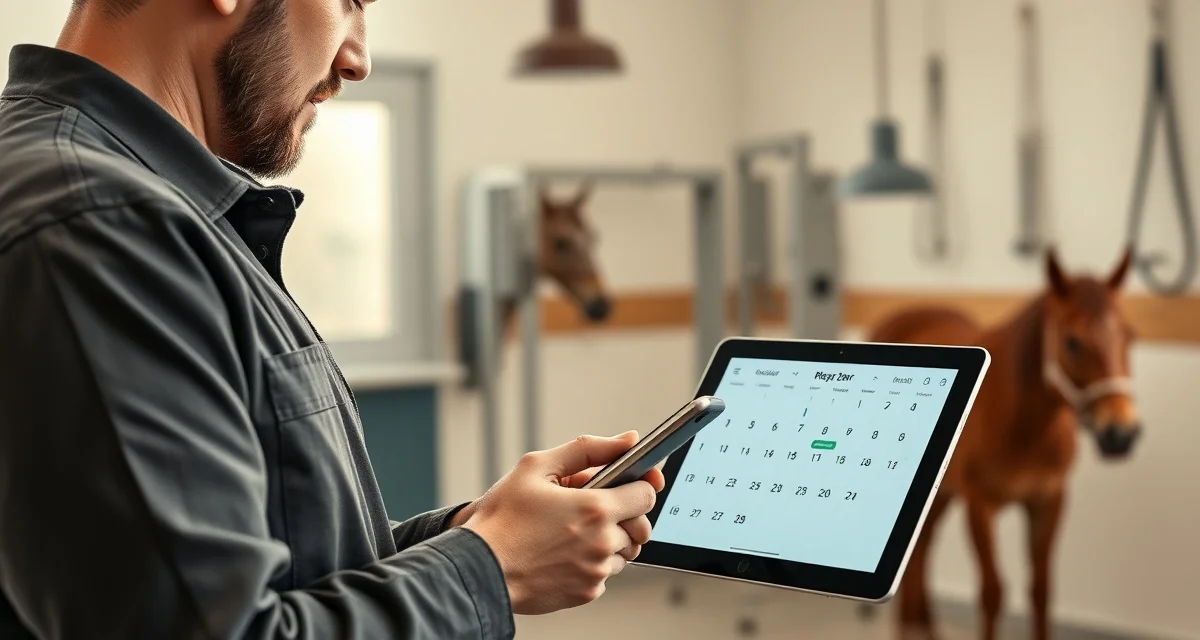
Farrier Appointment Reminders: Automate Client Communication
Farriers report spending up to 3 hours per week on reminder calls alone. Three hours. That's time you're spending on your phone instead of your horses, and it still doesn't prevent all the no-shows and last-minute cancellations.
Automating farrier appointment reminders eliminates those calls entirely. When the software sends text and email reminders automatically, clients confirm ahead of time, you know who's coming, and the administrative work disappears.
This guide covers how to set up an automated farrier appointment reminder system, what timing works best, how two-way confirmation eliminates phone tag, and how to handle clients who don't respond.
TL;DR
- Farriers spend up to 3 hours per week on reminder calls -- automated two-way confirmation reduces that to under 30 minutes per week by giving you a dashboard showing confirmed, pending, and non-responding appointments before your day starts.
- Most farriers have no-show rates of 5-10%; on a book of 100 horses, that's 5-10 wasted trips per month at $150+ per appointment slot, a problem that a reminder system with confirmation links largely solves.
- Farriers using automated two-way confirmation consistently report no-show rates dropping from 8-12% to 2-3% after implementing the system -- recovering 3-4 visits per month adds meaningful annual revenue.
- A two-message reminder sequence works best: a 48-hour reminder that gives owners time to prepare, and a 24-hour follow-up the evening before as a practical logistics prompt.
- The confirmation link is the key feature -- when clients confirm through a link, you see exactly which Thursday appointments are solid and which two you still need to call, rather than calling all twelve.
- Large farm accounts need a facility-level reminder rather than per-horse messages; therapeutic and laminitis clients benefit from slightly more direct message language that signals the importance of not missing the visit.
- 3 hours per week on reminder calls is 150+ hours per year -- that's nearly four full work weeks that automated reminders return to your schedule.
The No-Show Problem Is Bigger Than You Think
A no-show costs you time, fuel, and money. If you drive 20 minutes to a farm and the horse isn't caught, or the owner forgot and went to work, you've lost the appointment slot and the cost of getting there. At $150+ per shoeing, a no-show is an expensive afternoon.
Most farriers have no-show rates of 5-10%. On a book of 100 horses, that's 5-10 wasted trips per month. Some of those are genuinely unexpected, the horse got sick, the owner had an emergency. But many of them are simple forgetfulness that a reminder would have prevented.
Two-way confirmation is the system that eliminates phone tag entirely. Owners don't just get a reminder, they respond to confirm or request a reschedule. You know your schedule is solid before you leave the house.
How Automated Farrier Appointment Reminders Work
FarrierIQ's reminder system works on a simple trigger-based model:
You book an appointment. When you schedule a visit for any horse in your client base, the system automatically queues reminder messages for that appointment.
Reminders go out on your schedule. You configure when reminders send: typically 48 hours before the appointment, 24 hours before, or both. Some farriers add a day-of reminder for clients who tend to forget.
Owners respond through the portal or via text. Clients receive a message with a confirmation link. They click to confirm, which updates your dashboard immediately. If they need to reschedule, they can request a new time through the same link.
You see confirmation status in real time. Your schedule view shows which appointments are confirmed, which are pending, and which have no response. You can decide how to handle non-responses before the day arrives.
What Reminder Timing Works Best for Horse Owners?
This varies by client type, but most farriers find a two-message sequence most effective:
48-hour reminder. Sent two days before the appointment, this gives owners enough time to make arrangements, catching the horse, adjusting their work schedule, arranging for someone to be on the property. This is your main confirmation touchpoint.
24-hour reminder. A follow-up the evening before. Most horse owners are checking their phones in the evening. This reminder catches people who missed the first one and serves as a practical logistics prompt ("remember to catch Beau before you leave for work tomorrow").
Some farriers also send a morning-of reminder for clients who historically need extra prompting. Use this selectively, daily text messages feel intrusive to some clients.
For new clients especially, the first reminder sequence is important. New horse owners may not know what to expect from the visit and benefit from a reminder that mentions what they need to do to prepare.
Two-Way Confirmation: Eliminating Phone Tag
The confirmation link is what separates automated reminders from broadcast messages. When a client gets a text that says "Your appointment for [Horse Name] is Thursday at 10am, please confirm," the link records their response in FarrierIQ.
You see confirmed appointments in one view. Pending appointments in another. No-response appointments flagged for your attention.
This means you're not making calls the morning of to verify who's ready. You already know. You can see Tuesday morning that your Thursday schedule is 8 confirmed and 2 pending, and you can make exactly two calls, not twelve.
For most farriers who switch to two-way confirmation, the weekly reminder call time drops from 2-3 hours to under 30 minutes. That's time back in your week.
What Reminders Should Actually Say
Generic reminder messages feel generic. Horse owners respond better to messages that feel personal and specific:
What works:
- Horse's name in the reminder
- Date and time clearly stated
- What they need to do to prepare (horse caught and ready, or specific instructions)
- Easy confirmation option
- Your name so they know who it's from
What doesn't work:
- Corporate-sounding language
- Vague messages without confirmation options
- Long messages with too much information
FarrierIQ's reminder templates are written specifically for horse owner communication, not adapted from generic trade client templates. The language sounds like a farrier, not a software company.
You can customize the templates for your communication style. Some farriers keep them brief and transactional. Others add a personal note or sign with their name. Use what fits how you already talk to clients.
Handling Clients Who Don't Respond
Some clients just don't respond to digital reminders. They're not ignoring you, they don't check their email, or they forget to click the link, or they're just not phone people. These clients exist in every farrier's book.
For non-responding clients, the system flags them after a set period so you know to make personal contact. Most farriers make a quick call to these clients the day before.
Over time, you'll learn which clients need the personal call and which ones reliably confirm digitally. FarrierIQ lets you tag clients to route their reminders differently, send some clients automated reminders and call others directly without the automation.
Setting Up Reminders for Different Client Types
Not all horse owners should get the same reminder experience:
High-value sport horse clients. These owners are typically responsive and organized. Standard 48+24-hour reminders with confirmation link work well. They may also appreciate reminders that mention specific prep instructions ("please have the cross-ties set up in the barn aisle").
Casual pleasure horse owners. These clients benefit from simple, friendly reminders. Keep it warm and personal in tone.
Large farm accounts. A boarding facility with 40 horses doesn't need individual horse reminders, they need a single facility-level reminder confirming your visit date and the expected number of horses. Configure large accounts with a facility-level reminder rather than per-horse messages.
Laminitis and therapeutic clients. These owners need reminders that they won't ignore. Consider a slightly more direct message: "This is an important appointment for [Horse Name]'s ongoing treatment, please confirm you'll be available."
Connecting Reminders to the Client Portal
Horse owners who use the FarrierIQ client portal can see their upcoming appointments directly without waiting for reminders. The portal shows their horse's appointment history, upcoming scheduled visits, and outstanding invoices.
For engaged clients who check the portal regularly, reminders become secondary, they already know their appointment is coming. But the automated reminders still serve as the confirmation mechanism regardless of how the client stays informed.
The portal also lets clients request appointments directly when they notice their horse is coming up on its interval. This turns proactive clients into self-service schedulers, reducing inbound calls for you.
See the farrier client management guide for how the portal fits into your overall client communication system.
Reminders and No-Show Reduction: The Numbers
Farriers using automated two-way confirmation consistently report no-show rates dropping from 8-12% to 2-3% after implementing the system. For a farrier seeing 50 horses per month:
- Before: 4-6 wasted trips per month
- After: 1-2 wasted trips per month
At $150 per appointment slot and 20 minutes of drive time per visit, recovering 3-4 visits per month adds up to meaningful revenue recovery and time savings over a year.
The reminder system also tends to reduce last-minute same-day cancellations, since clients who were going to cancel usually do so the day before (when the 24-hour reminder arrives) rather than when you're already in the driveway.
Integration With Scheduling and Hoof Cycle Tracking
Appointment reminders in FarrierIQ aren't a separate module. They're integrated with the scheduling system. When you book an appointment, reminders are queued automatically, you don't have to do anything extra.
When an overdue horse gets added to your schedule from the overdue horse alerts system, reminders go out for that appointment too. The integration means your reminder system covers every appointment, including add-ons and schedule adjustments, without manual setup.
Related Articles
FAQ
How do I automate farrier appointment reminders?
In FarrierIQ, enable automated reminders in your settings and choose your preferred timing (48 hours before, 24 hours before, or both). When you book any appointment, the system automatically queues reminders for that visit. Owner contact preferences (text, email, or both) are stored per client. No additional action is needed once the system is configured.
What reminder timing works best for horse owners?
A two-message sequence works best for most clients: a 48-hour reminder that gives owners time to prepare, and a 24-hour reminder the evening before as a practical logistics prompt. New clients or clients with a history of forgetting may benefit from a morning-of reminder. Avoid more than three reminders for any single appointment, it becomes intrusive.
Can clients confirm appointments via text message?
Yes. FarrierIQ's reminders include a confirmation link that works via text message on any smartphone. Clients tap the link, see their appointment details, and confirm with one tap. Their confirmation status updates immediately in your dashboard. For clients who prefer calling, you can configure reminders to include your phone number for call-in confirmation instead.
What happens when a client doesn't confirm and you're unsure whether to make the trip?
Check the confirmation dashboard first. If the appointment is flagged as no-response, look at the client's history -- do they typically confirm last-minute, or have they been reliable with confirmation in the past? Clients who have confirmed every prior appointment but aren't responding this time probably just missed the reminder and will be ready. Clients with a history of last-minute cancellations warrant a direct call. FarrierIQ's client history gives you the pattern to make that judgment without guessing.
How do you introduce automated reminders to a long-time client who's used to personal calls?
Keep making the personal call for the first one or two transitions, then let them know you're switching to a reminder system: "I'm starting to use an app that sends you a reminder and a confirmation link -- you'll hear from me that way going forward, but I'll still be the one on the other end if you need to reach me." Most clients adapt easily. A few will always prefer a call, and those are the ones you tag in FarrierIQ to exclude from automation and continue calling directly.
Sources
- American Farrier's Association (AFA), farrier business management and client communication resources
- Small business research, appointment reminder timing and no-show reduction data
- Mobile communication research, horse owner text and email response patterns
- Professional Farrier Magazine, farrier technology adoption and administrative time data
Get Started with FarrierIQ
Three hours per week on reminder calls adds up to nearly four full work weeks per year spent on phone tag instead of horses. FarrierIQ's automated two-way confirmation system reduces that to under 30 minutes per week, drops no-show rates from 8-12% to 2-3%, and gives you a confirmed schedule you can trust before you leave the house every morning. Try FarrierIQ free and stop spending your evenings making calls that a system can handle automatically.