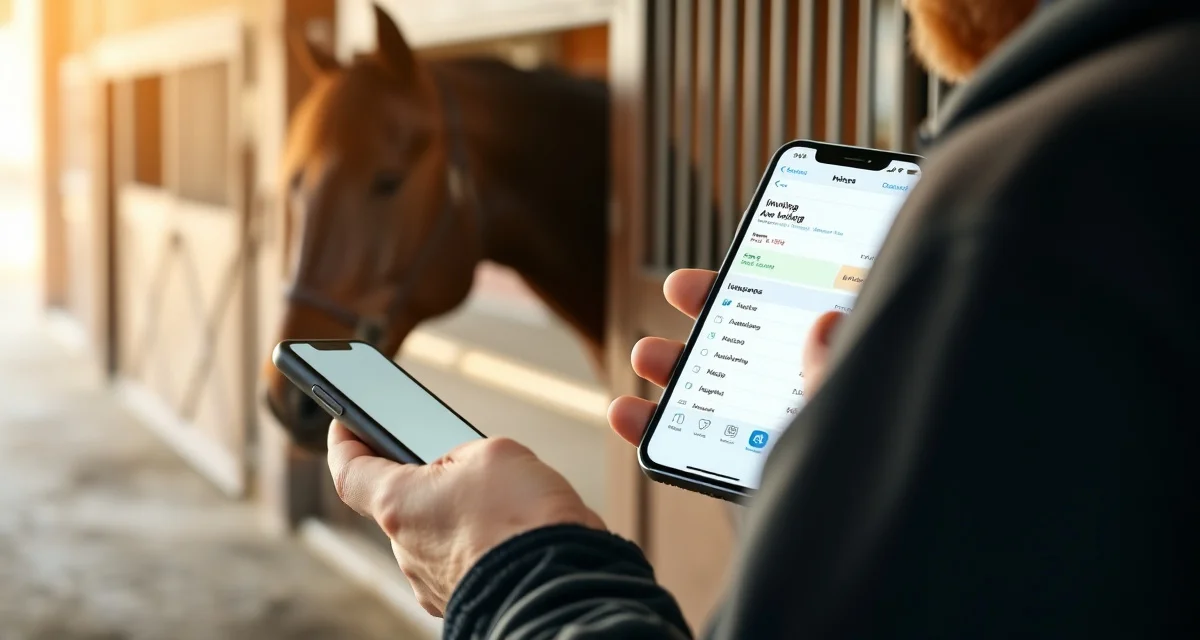
Best Farrier App for iPhone: Manage Your Business From iOS
iPhone users represent 47% of all smartphone users among US farriers based on FarrierIQ sign-up data. If you're working on an iPhone, you want a farrier app that's actually built for iOS, not a desktop program with a mobile interface bolted on, and not an app that requires a constant internet connection in environments where barns typically have none.
TL;DR
- iPhone users represent 47% of all US farrier smartphone users -- FarrierIQ is built mobile-first and natively optimized for iOS, not a desktop program with a mobile interface added on.
- Offline-first design stores the complete client book, horse records, and schedule locally on the iPhone -- everything works when you walk into a barn with no cell signal, and syncs automatically when connectivity returns.
- The iOS interface uses large tap targets, clear typography, and a two-tap flow to get from arriving at a barn to pulling up a horse's record -- designed for dirty hands, bright sunlight, and horses waiting.
- One-tap invoicing sends a professional invoice to the client before you've moved your truck to the next stop, with standard services pre-loaded for quick selection.
- iForgeAhead, a primary competitor, has no iPhone app -- it's Windows desktop only, requiring all record-keeping to happen at a desk with no job-site access.
- The route optimization on iPhone uses the same full engine as the desktop view -- you're not getting a stripped-down mobile version, but the complete routing capability in a mobile-first interface.
FarrierIQ is built mobile-first, optimized for iPhone, and works offline. Here's what that means for your daily work.
iPhone-Optimized Design
The FarrierIQ interface is designed for the way you actually use your phone during a farrier's workday. You're often wearing gloves or have dirty hands. You're looking at the screen in bright sunlight. You're moving between horses and need to find information quickly.
The iOS app uses large tap targets, clear typography, and a simplified flow that gets you from arriving at a barn to pulling up a horse's record in two taps. You're not navigating nested menus or searching through a complex interface while a horse is waiting.
Offline-First on iPhone
This is the most important functional distinction between FarrierIQ and general scheduling apps. FarrierIQ stores your complete client book, horse records, and schedule locally on your iPhone. When you walk into a barn with no cell signal, you open the app and everything is there.
Notes, invoicing, and schedule updates all work offline. The iOS app syncs automatically when connectivity returns. No manual sync, no lost data from a day in low-coverage barns. It just works.
This matters more for iPhone users in some ways because Apple's background app behavior can occasionally suspend apps that haven't been designed carefully for offline use. FarrierIQ's iOS implementation is specifically designed for reliable offline operation.
One-Tap Invoicing From the Job Site
Finish a visit, tap the services completed, send. The invoice reaches the client before you've moved your truck to the next stop. The iOS invoice interface is designed for quick entry, with your standard services pre-loaded and tap-to-select for each item.
The professional invoice that goes out includes the horse name, services, date, and your business information. It looks like what a professional sends, not a text message with a number in it.
FarrierIQ's Scheduling App on iPhone
The scheduling tools on iPhone give you your full calendar, overdue horse alerts, and route optimization in a clean mobile interface. You can see what your Tuesday looks like before you leave the house Monday night, confirm or move appointments, and view the optimized route for your day.
The route optimization on iPhone uses the same engine as the desktop view. You're not getting a stripped-down mobile version. You're getting the full route optimization in a mobile-first interface.
vs. iForgeAhead on iPhone
iForgeAhead is a Windows desktop application. It has no iPhone app. If you're an iPhone user, iForgeAhead requires you to do all your record-keeping at your desk, which means no job-site invoicing, no field notes, and no access to records while you're working.
FarrierIQ is the opposite philosophy entirely. Everything you need is on your iPhone, working with or without connectivity.
Setting Up FarrierIQ on iPhone
Download from the App Store, create your account, and import your client list. Most farriers are fully set up within 30 minutes. The onboarding walks you through adding clients, setting intervals, and running your first optimized route. The iOS interface makes setup straightforward.
Frequently Asked Questions
Is there a farrier app for iPhone?
Yes. FarrierIQ is a fully native iOS app available in the App Store. It's designed specifically for iPhone use with an interface optimized for farm environments and offline functionality that works without cell signal. It's the most complete farrier-specific app available for iOS.
Does farrier software work on iOS without internet?
FarrierIQ works fully offline on iPhone. All core features, including client records, horse health records, scheduling, and invoicing, work on your iPhone without any internet connection. The app syncs automatically when connectivity returns. This offline capability is fundamental to FarrierIQ's design, not a secondary feature.
What is the best iPhone app for farrier scheduling?
FarrierIQ is the best option for iPhone farriers who want a complete, farrier-specific application with offline functionality, route optimization, horse health records, and professional invoicing. General scheduling apps like Jobber aren't built for the farrier-specific record fields and equestrian context that FarrierIQ provides.
How does FarrierIQ handle iPhone data if the phone is lost, damaged, or needs to be replaced?
FarrierIQ stores data in the cloud and syncs to the device when connectivity is available. If your iPhone is lost or needs replacement, your complete client book, horse records, and shoeing history are accessible when you log into a new device with your existing credentials. The local offline cache rebuilds automatically after you log in and the first sync completes. This means a lost or damaged phone is an inconvenience (downtime until you get a replacement), not a data loss event.
What should an iPhone farrier do when they're in an area with no signal and need to enter new horse data?
Enter it directly in the app -- FarrierIQ works fully offline for all data entry. New client and horse records entered in an area with no signal are stored locally on the phone and sync to the cloud when connectivity returns. The same applies to visit notes, invoices, and any other records created offline. There's no need to wait for signal or make paper notes to transfer later. The offline-first design means your working environment for data entry is identical whether you have full signal or none.
Related Articles
- How to Manage Seasonal Demand Spikes in Your Farrier Business
- Best Farrier App in 2026: Top Picks for Scheduling, Invoicing, and Records
- Best Farrier App Alternatives: Top Options When You Need More Features
Sources
- American Farrier's Association (AFA), farrier business management and technology resources
- Apple developer documentation, iOS offline-first app design standards
- Mobile market research, US farrier smartphone usage patterns
- Professional Farrier Magazine, technology adoption among working farriers
Get Started with FarrierIQ
iPhone farriers get a fully optimized, offline-capable farrier management platform designed around the actual workflow of a day in the field -- dirty hands, no signal, horses waiting. Download from the App Store, complete setup in 30 minutes, and start the day with the records you need already on your phone. Try FarrierIQ free and manage your business from iOS.